
How to Set Up an HVAC Pricebook That Techs Close With.

42% of shops that buy ServiceTitan never finish building their pricebook — and they're paying $245–$500 per tech per month the whole time their guys are still quoting from memory. That stat is pulled from Capterra reviews and BBB complaint filings, and it lines up exactly with what I heard growing up in my dad's shop: the pricebook was always "almost done." The problem isn't discipline. The problem is that most owners try to build the data before they build the structure, and they quit when the spreadsheet hits 800 rows and still doesn't look like anything a tech can use at the kitchen table. This guide gives you the structure first. Get the skeleton right, and the data fills in fast — most shops can go live in a single day if they stop trying to price every part they've ever touched before launch.
Why Most HVAC Pricebooks Never Get Finished
The failure mode is always the same: an owner opens a blank spreadsheet, types "capacitor replacement" on row one, and then starts wondering whether to include the capacitor cost, the refrigerant top-off that sometimes goes with it, the truck stock replenishment, and the warranty markup. Two hours later they have 12 rows and a headache.
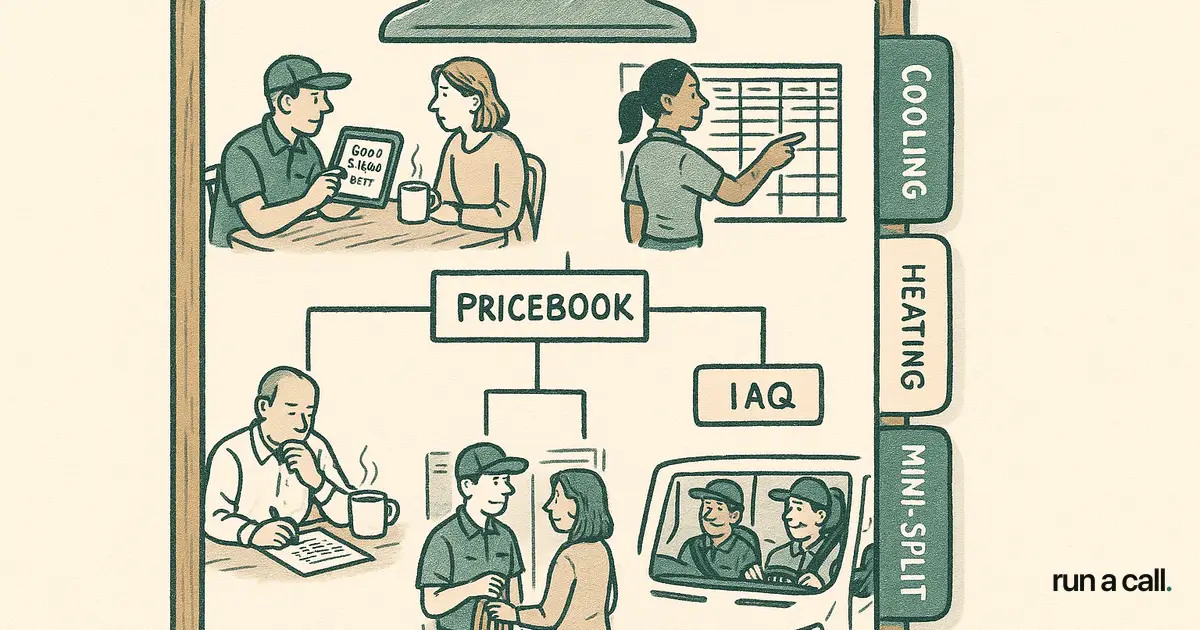
The real blocker isn't the data — it's having no skeleton to hang it on. Before you touch a single dollar figure, you need a category hierarchy: System Type → Task Group → Individual Task. For a residential HVAC shop, that top level looks like: Cooling, Heating, IAQ, Mini-Split, RTU, and Maintenance (SPPs). Everything else hangs under one of those six buckets.
Once the skeleton exists, a tech can tell you "I do about 40 different cooling tasks in a busy season" and you populate 40 rows. Without the skeleton, you're just accumulating tasks with no end in sight — and that's why 42% of shops never cross the finish line, per Capterra reviews of ServiceTitan.
How to Calculate Your Labor Rate Before You Price Anything
Your labor rate is the one number that makes every other number in the pricebook either profitable or a leak. Get it wrong and a well-organized pricebook still bleeds money.
Start with your fully loaded tech cost. Take annual wages, add payroll taxes (roughly 8–10%), health insurance, workers' comp, and vehicle costs. Divide by billable hours — not total hours. A tech working 2,080 hours a year is probably billing 1,400–1,500 of them once you account for drive time, callbacks, training, and ride-alongs. That gap is where shops underprice themselves.
If your loaded cost per billable hour comes out to $85 and you want a 55% gross margin on labor (a reasonable target for residential HVAC), your sell rate is $85 ÷ 0.45 = $189/hour. Round to a clean number. Now every task in your pricebook has a time estimate attached to it, and multiplying time by sell rate gives you your base labor price before parts.
Building the Good-Better-Best Structure for HVAC
Good-Better-Best (GBB) is the single highest-ROI change most residential shops can make to their pricebook. When a tech presents three options at the kitchen table instead of one number, average ticket goes up — not because you're upselling, but because the homeowner gets to choose. Most choose the middle option. Some choose the top. Almost none choose below Good.
For HVAC, GBB maps cleanly onto equipment tiers and warranty depth. A condenser replacement might look like: Good — standard-efficiency unit, 1-year parts/labor warranty; Better — mid-efficiency unit, 2-year parts/labor warranty, one SPP year included; Best — high-efficiency unit, 5-year parts/labor warranty, two SPP years included, priority scheduling. The dollar spread between Good and Best is often $1,200–$2,000 on a typical change-out. When a tech presents all three, a meaningful percentage of homeowners pick Better or Best.
Build your GBB tiers at the task-group level first, not the individual line-item level. Get the three tier definitions in place for your top 10 task groups (condenser replacement, air handler replacement, coil replacement, furnace replacement, capacitor/contactor service, refrigerant service, duct work, IAQ install, mini-split install, SPP enrollment). Those 10 groups cover the majority of your revenue. Fill in the rest after you've gone live. For a deeper look at how this fits your overall hvac pricebook strategy, that pillar piece covers the theory — this article is the build guide.
What to Include in Each Pricebook Line Item
Every line item in a working HVAC pricebook needs four fields: task name, labor price, parts cost (at your cost, not sell price), and estimated time. Everything else — the sell price the tech shows the homeowner, the gross margin, the parts markup — is calculated from those four fields. If you build it this way, changing your labor rate or parts markup later is a one-field update, not a 600-row audit.
Parts cost lives inside the line item but is not shown to the homeowner. Your software should display only the total flat rate. The homeowner sees "Dual run capacitor replacement — $189." They don't see your $18 parts cost or your 45-minute time estimate. This is standard flat rate pricing, and it protects your margin from the customer who wants to negotiate every line.
Task names matter more than most owners think. "Capacitor replacement" is fine internally. But on a customer-facing estimate, "Capacitor and contactor inspection and replacement — includes system test and 1-year warranty" communicates value. Most HVAC estimate templates ship with generic names — budget 30 minutes to rewrite the top 20 customer-facing descriptions in plain language. That alone improves close rate at the kitchen table.
How to Go Live in One Day Without Repricing Everything
The goal on day one is not a complete pricebook. The goal is a pricebook that covers 80% of your call volume so your techs stop quoting from memory. For most residential shops, that's 50–70 line items across your top task groups — not 600.
Start with your highest-volume tasks from the past 90 days. Pull your invoices, sort by frequency, and take the top 15 cooling tasks, top 10 heating tasks, your SPP structure, and your five most common IAQ line items. That's roughly 35–40 tasks. Add your GBB tiers for the top five change-out types and you're at 50–55 items. That's a live pricebook.
Every week after launch, add the tasks that came up that week but weren't in the book. Within 60 days, most shops have 90%+ of their volume covered without ever sitting down for a marathon build session. If you're evaluating software and want to see how this works in practice, walk through Run a Call — the template is pre-loaded and the import takes minutes, not weeks. This is the sharpest contrast with the 6-12 month onboarding reality that shows up repeatedly in ServiceTitan Capterra reviews.
Choosing Software That Won't Make the Pricebook Harder
The pricebook is only as useful as the software that delivers it to the tech's tablet in the field. A pricebook that lives in a spreadsheet is better than nothing, but it doesn't pull into estimates, doesn't update across your fleet when you change a price, and doesn't feed your average ticket reporting.
When you evaluate HVAC field service software, ask one specific question: "Can I import a pre-built HVAC pricebook template on day one, or do I have to build from scratch?" Housecall Pro and FieldEdge both ship with some pre-loaded content, but the category structure is generic and often needs significant rework for HVAC-specific task groups. ServiceTitan has deep pricebook features but the setup complexity is a documented blocker — it's one of the most common complaints in their BBB complaint filings, and their $5,000–$50,000 setup fees mean you're paying to build what should ship ready.
Run a Call ships at one flat monthly price per shop with a pre-structured HVAC pricebook template and same-day onboarding. If you're coming off ServiceTitan or evaluating options, the ServiceTitan alternative for HVAC comparison breaks down the feature and cost differences directly. The right software makes the pricebook easier to build and easier for your techs to use in the field — those two things should not require a six-month project.
Frequently asked
How long does it take to set up an HVAC pricebook from scratch?
A working pricebook covering 80% of your call volume can be built in one day if you start with a pre-structured template and focus on your top 50–70 tasks rather than trying to price everything at once. Most shops that take longer are building the structure from scratch instead of filling in an existing skeleton. The goal on day one is live-in-the-field, not complete.
What is a Good-Better-Best HVAC pricebook and does it actually increase revenue?
Good-Better-Best (GBB) is a pricing structure where the tech presents three options at the kitchen table — typically differentiated by equipment efficiency tier, warranty depth, and included services like SPP enrollment. Most homeowners choose the middle option, and a meaningful share choose the top tier. The average ticket increase comes from giving the homeowner a choice rather than a single number to accept or reject.
Should I include parts cost in each pricebook line item?
Yes, but the parts cost field is internal — it never shows on the customer-facing estimate. Store your cost (not marked-up price) in the line item so the software can calculate your gross margin automatically. The homeowner sees only the flat rate total. This protects your margin and eliminates negotiation over individual parts prices.
How many line items does an HVAC pricebook need to be useful?
50–70 line items covering your highest-volume task groups is enough to go live. Most residential HVAC shops run 80% of their revenue through 40–60 task types. Start with those, add Good-Better-Best tiers for your top five change-out categories, and you have a working pricebook. Expand it weekly as new tasks come up in the field — you don't need 600 items before your first invoice.
What HVAC pricebook template format works best?
The most useful format is a hierarchical structure: System Type at the top (Cooling, Heating, IAQ, Mini-Split, RTU, Maintenance), Task Group in the middle (e.g., Condenser Repair, Refrigerant Service), and Individual Tasks at the bottom. Each task carries four fields: task name, labor price, parts cost, and estimated time. Flat files and spreadsheets work for reference, but the template needs to live inside your field service software to be useful at the kitchen table.
Ready to switch HVAC software?
Walk through the dispatch board, pricebook, and mobile app in 30 minutes. No commitment.

Co-founder of run a call. Owns product and operations. AI Strategist; built and sold an AI process-automation firm; before that ran transformation programs at HP.
Read full bio →