Google reviews inside Run a Call.
Run a Call connects to the Google Business Profile you already own, so the reviews your customers leave on Google show up next to the job, the technician, and the customer record they belong to. You reply from the same screen you dispatch from, and the review ask goes out on its own when the job closes.
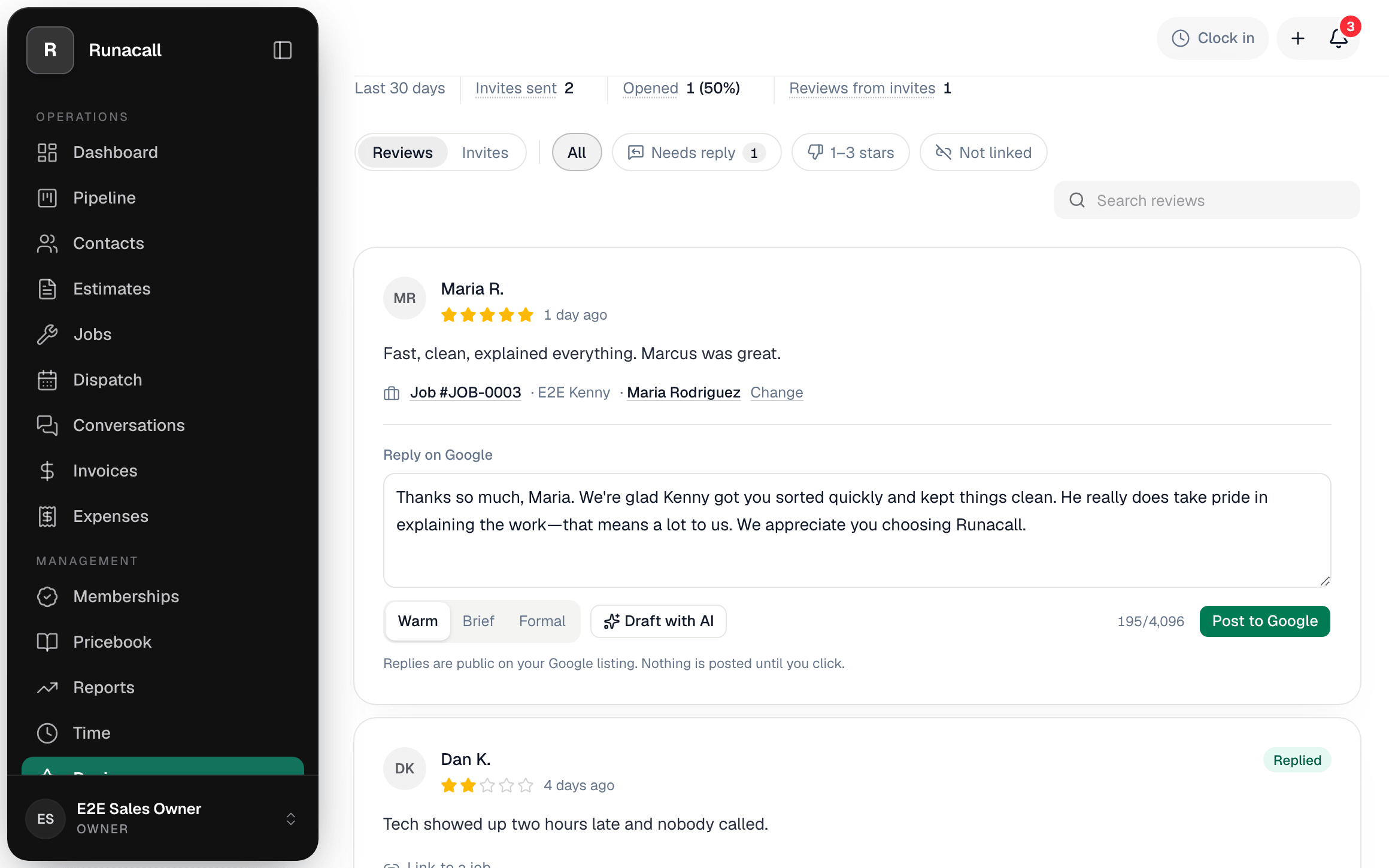
Every review, next to the job it came from.
New Google reviews land in Run a Call within minutes, with a notification to the office. Each one is matched to the completed job and the technician who did it, so you read it with the whole call in front of you.
- Matched to the completed job and the technician who did it
- A notification to the office when a new review lands
- Star rating and review count on the dashboard, with a monthly trend
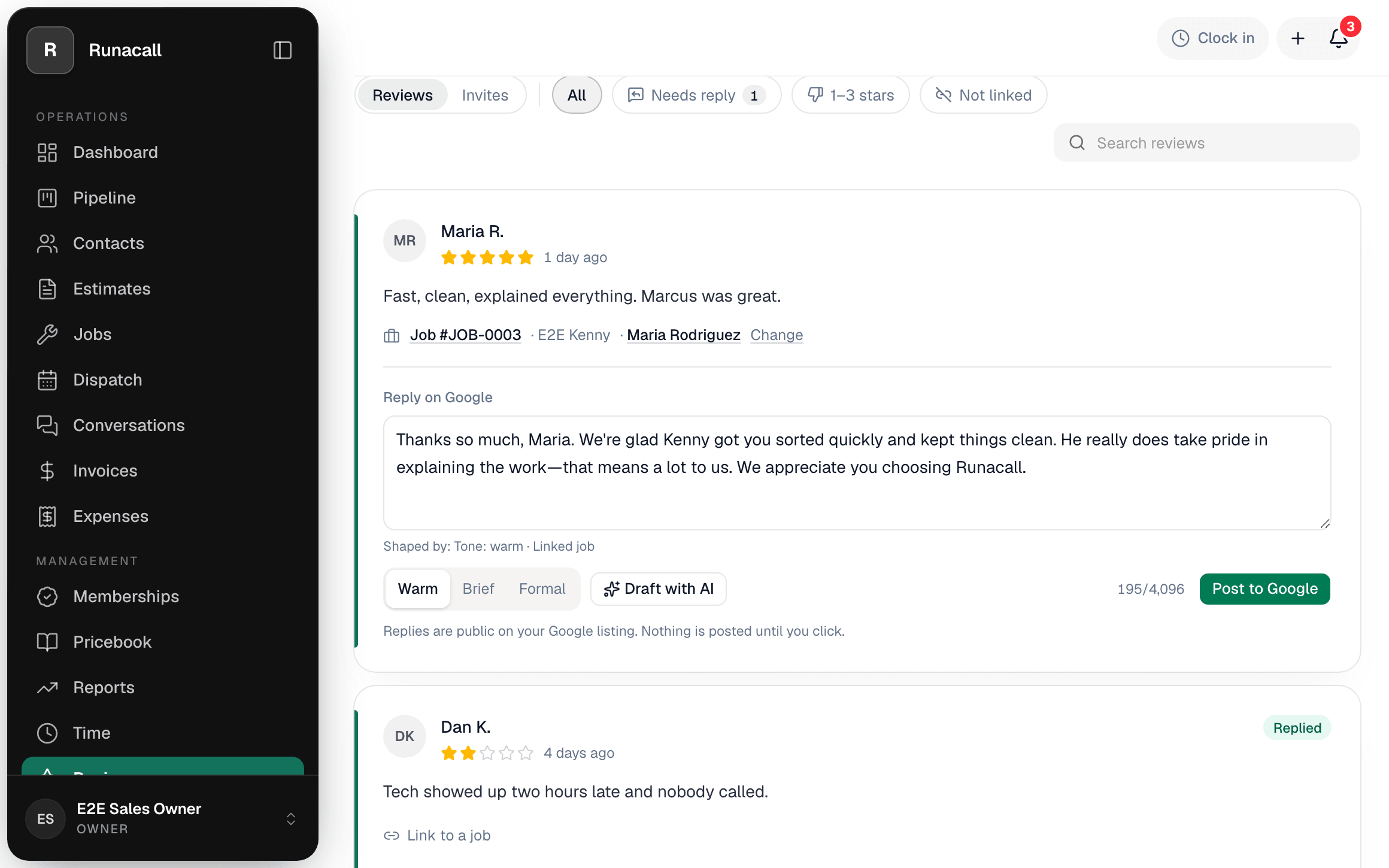
Reply drafts you approve before they post.
Run a Call drafts a reply in your voice. You edit it if you like, then click Post. Nothing is posted to Google until you click.
- Drafted in your voice, ready to edit or replace
- Post, edit or remove a reply from the same screen
- Nothing reaches Google until you click
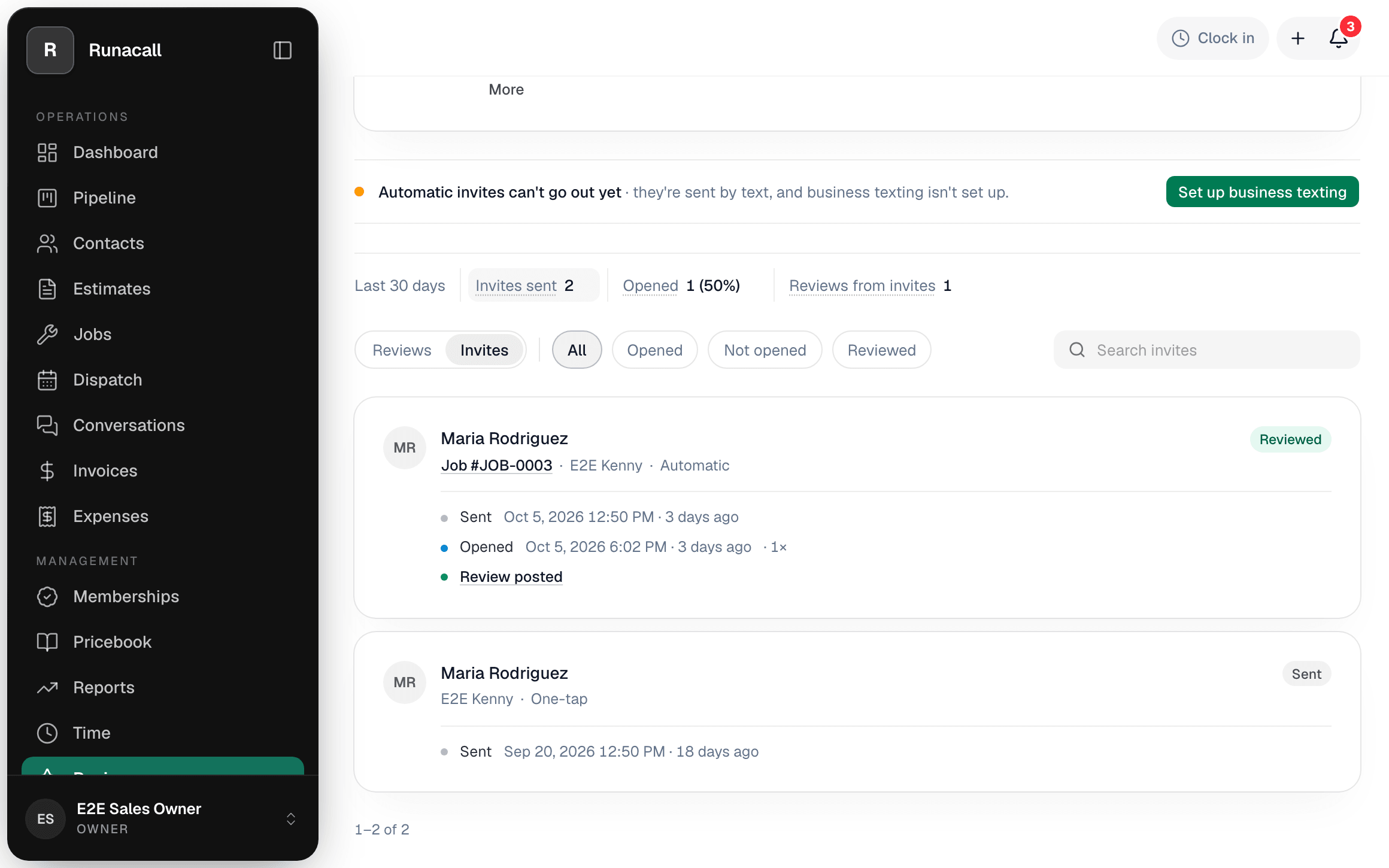
A review link texted when the job closes.
When a job is marked complete, the customer gets a text with a tracked link to your Google review page. You can also ask by hand at any time.
- One-tap ask from a job or from the inbox
- One reminder if the link goes unopened, then it stops
- Every invite's outcome on the Reviews page
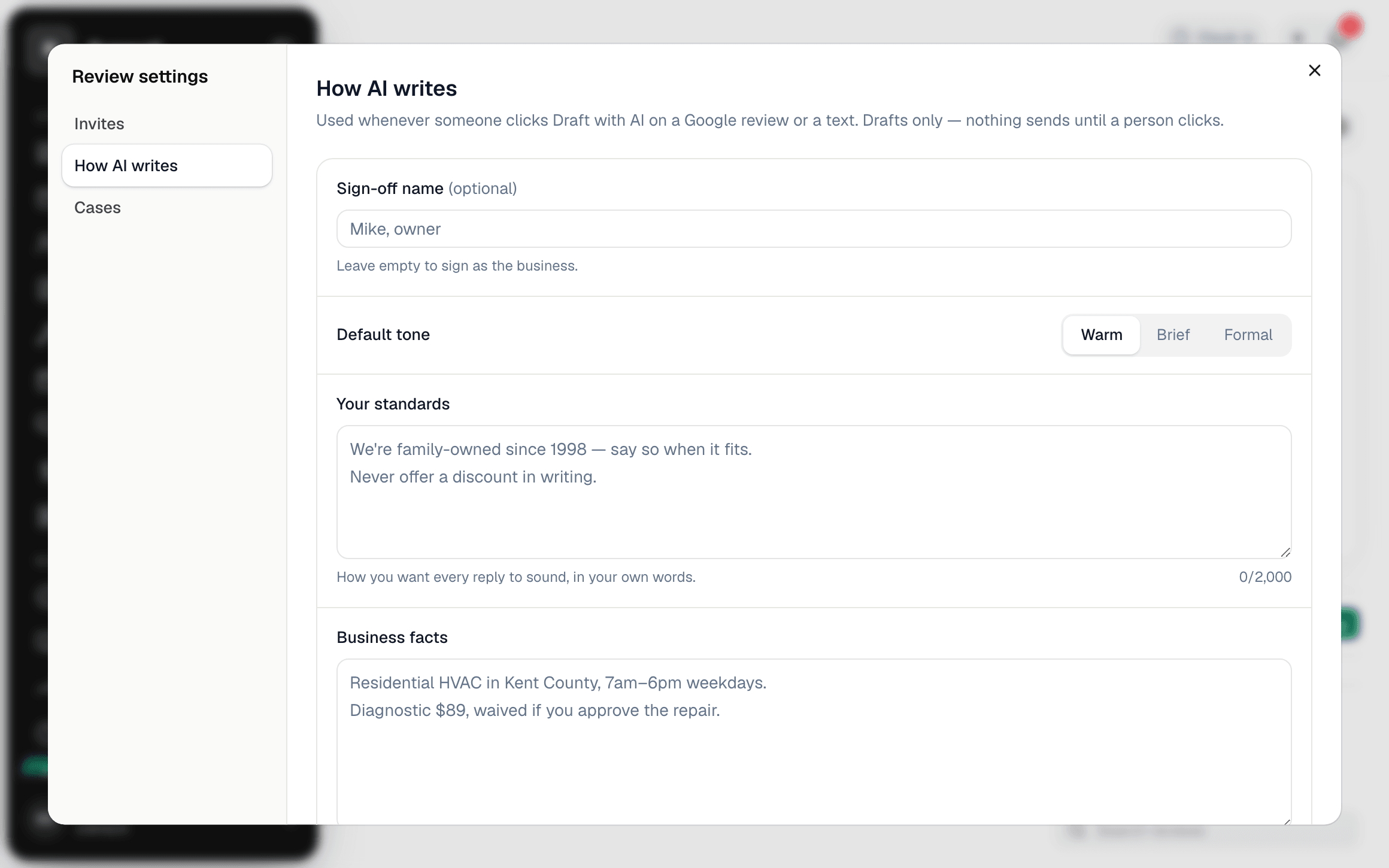
Replies that sound like you, because you wrote the rules.
One playbook sets how the AI writes for your shop: who signs off, the tone, your standards, the words you never use, and the business facts it may quote. Reviews and invites are tied to the technician on the job, so credit lands on the right scorecard.
- Sign-off name, tone and your standing instructions
- Business facts the AI treats as the only source of truth
- Cases: what to say on a late-arrival complaint or a five-star rave
What the connection can and cannot do.
How it connects
From Settings → Integrations, an account owner clicks Connect Google Business Profile, signs in with the Google account that manages the business, and picks the location to connect. Google shows exactly what Run a Call is asking for before you agree. You stay the owner of your Business Profile; Run a Call never takes ownership or adds itself as a manager.
Disconnect at any time from the same screen, or from your Google Account permissions. Disconnecting deletes the stored connection and the cached reviews.
What Run a Call accesses
The integration uses Google’s Business Profile APIs with the business.manage permission, which is the only permission Google offers for reading and replying to reviews. Within that permission, Run a Call reads and writes only the following:
- The list of Business Profile accounts and locations your Google account manages, so you can pick one.
- For the connected location: its reviews (rating, reviewer name and photo, text, dates) and existing owner replies.
- Posting, editing, or removing an owner reply, only when you click to do so.
Run a Call does not edit your business information, hours, photos, or posts, and does not read any other Google data.
How the data is handled
- Access tokens are encrypted at rest and used only by server-side jobs.
- Reviews are cached so your team can see them without waiting on Google, and refreshed on a schedule and on demand.
- Review data is visible only to your company’s users. It is never shared with other customers, sold, or used for advertising.
- When Run a Call drafts a suggested reply, the review text is sent to our AI provider solely to produce that draft for you. It is not used to train models.
- Everything is deleted when you disconnect or when your subscription ends.
Run a Call’s use of information received from Google APIs adheres to the Google API Services User Data Policy, including the Limited Use requirements. Full details are in our Privacy Policy.
Questions
Email admin@runacall.com or visit help.runacall.com.
Your reviews, where the work already lives.
No marketing add-on and no second login. Connect your profile once and the reviews, replies and invites run from the same screen as your jobs.