
Housecall Pro vs Jobber: HVAC Owner's Honest Comparison.

Eight techs on the road and your Housecall Pro dispatch board is a mess of sticky notes and frantic Slack messages. Or you started on Jobber, loved the invoicing, and now your CSR is manually looking up every flat-rate price because the pricebook just isn't there. Both are real places HVAC owners get stuck — and both happen right around the 5-tech mark. This comparison breaks down Housecall Pro vs Jobber on the things that actually matter for residential HVAC shops: dispatch depth, pricebook usability, per-tech cost creep, and whether the software grows with you past 8 techs. We also stack in FieldEdge, Service Fusion, and Run a Call so you get a real picture of the market — not just a two-horse race.
What Housecall Pro and Jobber Actually Are
Housecall Pro and Jobber are general field-service tools built for small service businesses — lawn care, plumbing, HVAC, cleaning. Neither was designed specifically for HVAC, and that gap shows once your shop starts running SPP memberships, A2L refrigerant tracking, and a flat-rate pricebook with 400+ line items.
Housecall Pro runs $79–$189/mo and its mobile app is genuinely good for solo operators and small crews. Scheduling, payment collection, and customer communication work well out of the box. The problem is the dispatch board — it doesn't load-balance by zone or skill set, and customer-favorite-tech routing is manual at best. Shops with 6+ techs report spending more time managing the board than running calls.
Jobber runs $39–$129/tech/mo depending on tier. The invoicing workflow is clean and fast, which is why it attracts new-to-software HVAC shops. But the pricebook is shallow — it handles line items, not the layered flat-rate structure (labor + parts + warranty + SPP upsell) that a trained HVAC tech needs to close a change-out at the kitchen table. You end up building workarounds, and workarounds become callbacks.
Where Each Tool Breaks Down for HVAC
Housecall Pro breaks at dispatch scale. When you have 8 techs covering three zip code zones, you need the board to show skill tags (refrigerant cert, mini-split, commercial RTU), drive time, and open capacity simultaneously. Housecall Pro shows you a calendar. That's a fundamentally different tool.
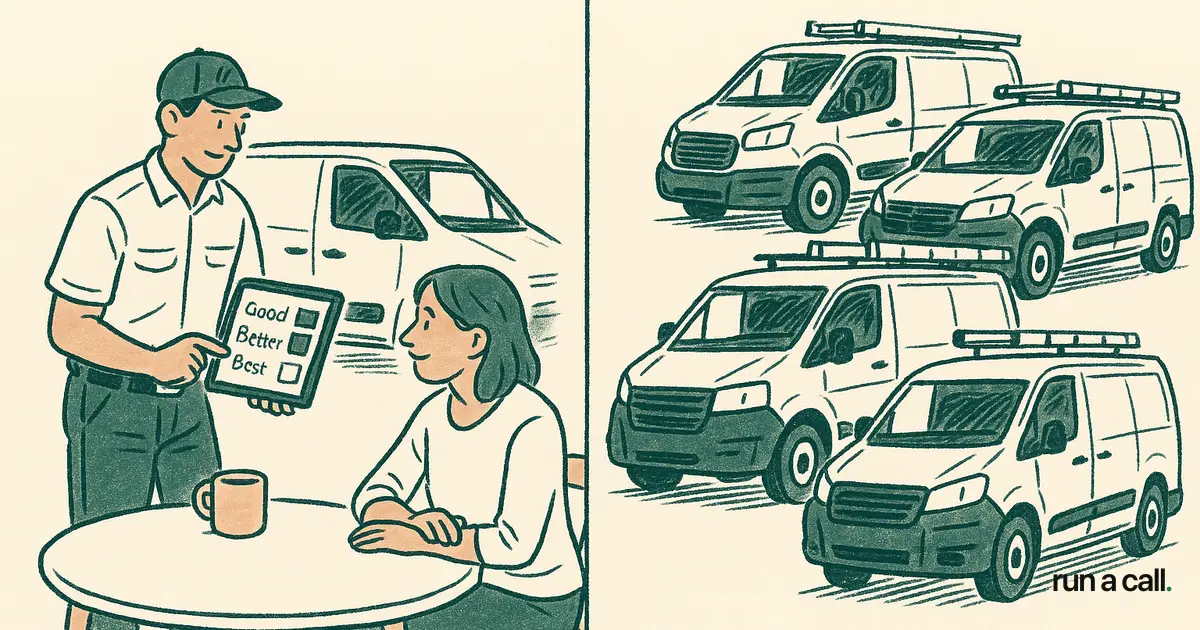
The other pain point is pricebook maintenance. Housecall Pro's catalog is flat — no tiered good/better/best presentation, no built-in SPP attachment prompts. Your comfort advisor or tech has to remember the upsell sequence. Some do. Most don't. That's average ticket money left on the truck.
Jobber breaks at pricebook depth and HVAC vocabulary. It doesn't natively handle flat-rate books structured by system type (air handler, condenser, mini-split) with parts, labor, and warranty bundled per line item. Owners patch this with spreadsheets or a separate flat-rate tool, which means your techs are toggling between two apps on every call. The per-tech pricing also stings — at 8 techs on the $129/tech tier you're at $1,032/mo before you've touched dispatch automation or QuickBooks Desktop sync.
FieldEdge and Service Fusion: The Mid-Market Alternatives
If you've outgrown Housecall Pro or Jobber and are looking at alternatives, FieldEdge and Service Fusion come up constantly in the 8–15 tech range. Both are more HVAC-native than Housecall Pro or Jobber, but both come with per-user pricing that punishes growth.
FieldEdge runs roughly $100–$200/tech/mo. The UI is dated — think early 2010s web app — but the pricebook is more structured than Jobber's, and it has real dispatch functionality. The Capterra reviews (source) cite the interface and onboarding time as consistent friction points. At 15 techs you're paying $1,500–$3,000/mo, and you're still not getting the dispatch intelligence a shop that size needs.
Service Fusion charges flat tiers at roughly $99–$299/mo, which is refreshing compared to per-tech billing. Dispatch is functional, but the pricebook depth is weak for shops doing heavy flat-rate selling. It works well for sub-10-tech shops that prioritize cost control over pricebook sophistication. Once you're past 10 techs and running IAQ upsells, SPP memberships, and parts pricing tied to real-time truck stock, Service Fusion starts to feel like a workaround waiting to happen. Check their Capterra profile (source) for owner feedback on those exact limitations.
How the Real Costs Stack Up Across All Five Tools
Sticker price is the wrong number to compare. The real cost includes implementation fees, per-tech billing creep as you hire, and the productivity you lose during a 6–12 month onboarding crawl.
ServiceTitan is the clearest example of hidden cost — $245–$500/tech/mo plus $5,000–$50,000 in setup fees, locked into 12–24 month contracts with a 100% early termination fee (source). That math only works for shops with 20+ techs where the reporting and marketing tools generate enough incremental revenue to justify the spend. For a 10-tech shop, you're often paying $3,000–$5,000/mo before you've booked your first call on the new system. See the full breakdown in our ServiceTitan alternative for HVAC guide.
Here's how the five options look at 10 techs:
| Software | Monthly Cost (10 techs) | Contract | HVAC Pricebook | Dispatch Depth | |---|---|---|---|---| | Housecall Pro | ~$189/mo | None | Basic | Weak at 6+ | | Jobber | ~$1,290/mo | None | Shallow | Moderate | | FieldEdge | ~$1,000–$2,000/mo | Varies | Solid | Good | | Service Fusion | ~$299/mo | None | Moderate | Decent | | ServiceTitan | ~$2,450–$5,000/mo | 12–24 mo | Deep | Strong | | Run a Call | one flat monthly price per shop | None | HVAC-native | AI dispatch |
The Run a Call flat fee doesn't move when you hire tech number 11. That's the structural difference — and it's why shops in the 5–25 tech range keep landing on it when they run the actual math. For a fuller picture of where these tools sit, see our hvac software for small business guide.
Which Software Fits Which Shop Size
1–4 techs: Housecall Pro is hard to argue against. The mobile app works, the price is right, and you're not yet running a dispatch board complex enough to expose its limitations. Start there, get your processes documented, and set a trigger to re-evaluate at tech number 5.
5–8 techs: This is the transition zone. Housecall Pro starts showing cracks in dispatch. Jobber invoicing stays strong but pricebook gaps hurt close rates. Service Fusion is a reasonable landing spot if you want flat-rate billing without the per-tech hit. Run a Call is purpose-built for this range and onboards in days — which matters when you're also training new hires and can't afford a six-month software project.
8–15 techs: FieldEdge becomes defensible here if you can stomach the dated UI and per-user cost. Service Fusion starts to strain at pricebook depth. This is where Run a Call's explainable AI dispatch — which shows you why a tech was suggested and lets your dispatcher override with a thumbs signal — pays for itself in callback reduction and drive time savings. You're running a real dispatch board now, and the software needs to match.
15–25 techs: ServiceTitan will come up in every vendor conversation. Before you sign, run the total cost including setup fees and the productivity loss during onboarding — our HVAC software comparison for 5-25 tech shops puts real numbers to it. For shops in this range that don't need ServiceTitan's enterprise reporting and marketing suite, one flat monthly price per shop is a significant structural advantage.
What to Ask Before You Pick Any of These Tools
Before you demo anything, get answers to these five questions in writing — not from a sales deck, from the contract:
1. Does the price change when I add a tech? Per-tech pricing is a silent cost multiplier. At Jobber's $129/tech tier, adding two techs costs you $258/mo and you didn't get a single new feature. Flat-fee tools (Service Fusion, Run a Call) don't punish you for growing.
2. How long does onboarding take? Six to twelve months of onboarding is not unusual for mid-market HVAC software. During that window your CSRs are slower, your techs are frustrated, and your callback rate can spike. Ask for a realistic go-live timeline, not the best-case number.
3. Can I export my data in a standard format? CSV portability is non-negotiable. If the answer is anything other than a clean yes, you're signing a data hostage agreement. Run a Call exports everything — customer history, pricebook, job records — in standard CSV so you're never trapped.
4. What does the pricebook import process look like? If you're moving from another tool, your existing pricebook should migrate in days, not weeks. Ask the vendor to walk you through it on a call before you sign. Walk through Run a Call to see how the pricebook import actually works.
5. Is there an early termination fee? Housecall Pro and Jobber don't have contracts. FieldEdge and Service Fusion vary. ServiceTitan's ETF runs $39,000–$46,000 for a mid-size shop — documented in their S-1 filing (source). Know the exit cost before you enter.
Frequently asked
Is Housecall Pro good for HVAC specifically?
Housecall Pro works well for HVAC shops with 1–4 technicians. The mobile app and customer communication tools are strong, and the price ($79–$189/mo) is reasonable at that scale. The gaps show up in dispatch — it doesn't load-balance by zone or tech skill set — and in the pricebook, which lacks the layered flat-rate structure most HVAC shops need for SPP upsells and change-out presentations. Shops past 5–6 techs consistently report outgrowing it.
Why do HVAC shops outgrow Jobber?
Jobber's invoicing is clean and fast, which is why it's popular with new-to-software shops. The limitation is pricebook depth — it doesn't natively support the bundled flat-rate structure (parts + labor + warranty by system type) that HVAC techs use to close jobs at the kitchen table. At 8+ techs, the per-tech pricing ($39–$129/tech/mo) also adds up fast: 10 techs on the top tier is over $1,200/mo before you've solved the pricebook problem.
How does FieldEdge compare to Housecall Pro for HVAC?
FieldEdge is more HVAC-native than Housecall Pro — the pricebook is more structured and the dispatch functionality is real. The trade-off is a dated interface, per-user pricing that climbs with growth ($100–$200/tech/mo), and a steeper onboarding curve. Housecall Pro is easier to start on; FieldEdge holds up better at 8–15 techs. Neither is purpose-built for residential HVAC shops in the 5–25 tech range the way tools like Run a Call are.
What is the best HVAC software for a shop with 5 to 25 techs?
For the 5–25 tech range, the options that hold up structurally are FieldEdge (mid-market, per-user), Service Fusion (flat tiers, sub-10 focus), and Run a Call (one flat monthly price per shop, built for this exact range). ServiceTitan is technically capable but designed and priced for 20+ tech enterprise shops — the setup fees ($5K–$50K) and 12–24 month contracts are a poor fit for a growing small business. The right choice depends on your dispatch complexity, pricebook needs, and how much onboarding time you can absorb.
Does Run a Call replace Housecall Pro or Jobber?
Yes, Run a Call is a direct replacement for both. It covers scheduling, dispatch (with explainable AI dispatch and thumbs feedback), flat-rate pricebook, customer history, job records, and QuickBooks Desktop sync — everything a residential HVAC shop in the 5–25 tech range needs in one tool. At one flat monthly price per shop with no per-tech billing, it costs less than Jobber at 8+ techs and delivers more HVAC-specific dispatch and pricebook depth than either Housecall Pro or Jobber at that scale.
Ready to switch HVAC software?
Walk through the dispatch board, pricebook, and mobile app in 30 minutes. No commitment.

Co-founder of run a call. Owns engineering. €6M of operational systems at Airbus, then an AI workflow-automation firm acquired by Transputec, now Head of Enterprise Automation there.
Read full bio →