
FieldEdge Pricing & Switching: What HVAC Owners Actually Pay.
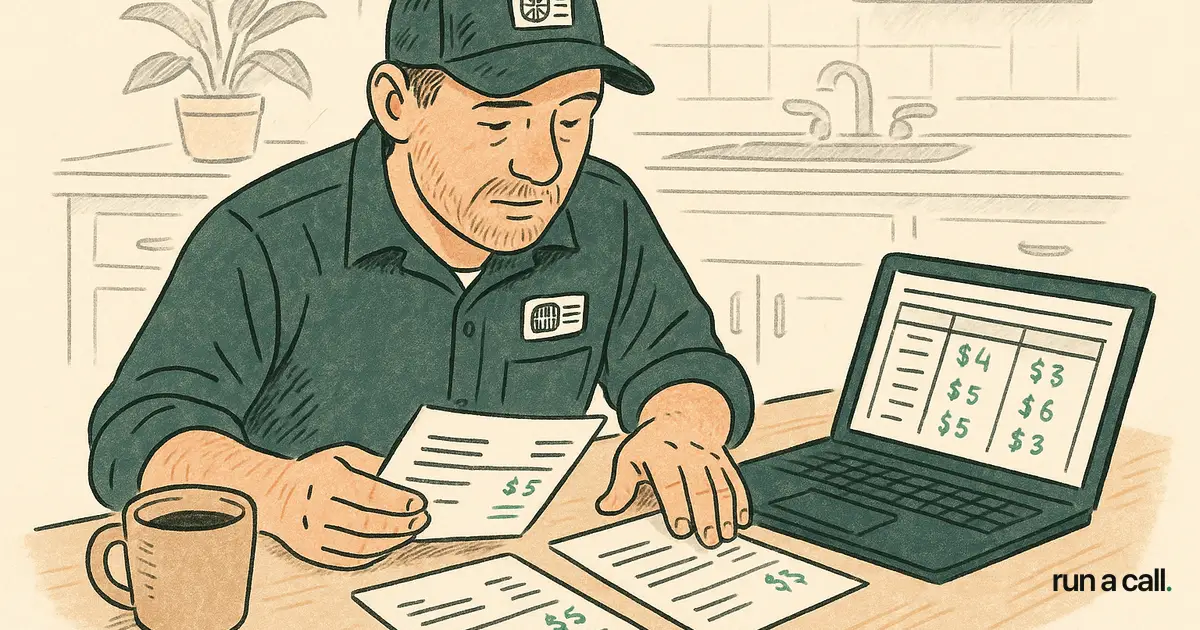
A 10-truck residential HVAC shop running FieldEdge typically pays somewhere between $250 and $400 per technician per month once you add the base subscription, per-user fees, and any add-on modules. That number rarely appears in the sales demo — it surfaces on the third invoice. This guide breaks down what FieldEdge and Housecall Pro actually cost, what your data looks like when you decide to leave, and what the switching process looks like in practice so you can move without losing a season of job history.
What Does FieldEdge Actually Cost?
FieldEdge pricing is quote-only — there is no published rate card as of 2026. Shops report paying between $100 and $200 per user per month depending on the tier, with additional fees for QuickBooks Desktop sync, customer history modules, and mobile app access for technicians. A 10-tech shop that needs the full feature set lands between $1,500 and $2,500 per month in practice.
FieldEdge targets residential HVAC and light commercial contractors, which means it's built for the same shops as Run a Call, Housecall Pro, and Service Fusion. The pitch is tight QuickBooks Desktop integration and a mature dispatch board — both real strengths. The cost structure, though, scales with headcount in a way that surprises owners who get the demo at five techs and grow to twelve.
The add-on that catches most shops off guard is the service agreement module. If you run a strong SPP program, you almost certainly need it — and it's not included in the base quote. Ask for the line-item breakdown before you sign, and ask specifically: "What does this cost if I add three more technicians in six months?"
Compare that to Housecall Pro pricing, which publishes three tiers. The entry tier works fine for a 1-2 truck shop. Once you're past five techs, you're on the "MAX" tier, which is also quote-based and per-user. The pattern is the same: the number you see in the marketing is not the number on your invoice.

FieldEdge vs. Housecall Pro: Which One Fits a 5-25 Tech Residential Shop?
FieldEdge fits shops that are already on QuickBooks Desktop, run a meaningful SPP book, and have a dispatcher who knows the board. The software has been around long enough that the dispatch logic is mature and the QuickBooks Desktop sync is reliable — that matters if your bookkeeper lives in Desktop and isn't moving.
Housecall Pro fits shops that want a cleaner mobile experience and don't need deep accounting integration. The tech-facing app is genuinely better designed than FieldEdge's mobile app in 2026. The trade-off is that Housecall Pro's dispatch board is lighter — it works, but it's not built for a 15-tech shop juggling install crews, service calls, and callbacks on the same board simultaneously.
Neither one is the wrong answer for every shop. The question is whether the per-user pricing structure keeps making sense as you grow. A shop at seven techs paying $1,800/month in FieldEdge fees and adding two more techs faces a $400-600/month jump in software cost — before the two new techs generate a single dollar of revenue. That math is why owners start looking.
For a broader look at how these tools stack up against the field, the HVAC software comparison for 5-25 tech shops covers all the major options side by side.
How to Export Your Data from FieldEdge
FieldEdge data export works through the admin panel — you can pull job history, customer records, and equipment logs as CSV files. The data is yours, and the export function is accessible without calling support. That's the good news.
The less good news: the exported CSVs use FieldEdge's internal field naming, which means columns like `cust_id`, `job_type_code`, and `tech_uid` that don't map directly to another system's import format. You'll spend time either reformatting the files or handing them to whoever is managing your migration. Plan for two to four hours of cleanup on a shop with 5,000 customer records — more if your job notes have free-text formatting that breaks CSV parsing.
Equipment history is the field that causes the most pain. If you've been logging unit model numbers, install dates, and filter sizes in FieldEdge, that data is in the export — but it's often split across multiple tables that need to be joined before you can import it elsewhere. Pull a sample export of 50 records before you commit to a migration date so you know what you're working with.
Customer-facing data (name, address, phone, email) exports cleanly and imports cleanly to every major alternative. Job history with dollar amounts is the second-cleanest export. Equipment data and recurring SPP agreements are where you'll need the most attention. Our Migration & Switching guides walk through the parallel-run pattern that keeps you from losing a week of invoicing during the move.
The Parallel-Run Pattern for Switching from FieldEdge or Housecall Pro
The cleanest switch looks like this: two weeks before go-live, you import your customer and job history into the new system. For the first week, you dispatch out of the new board but keep issuing invoices from the old system. In week two, you flip invoicing to the new system and stop logging anything new in FieldEdge. On day fifteen, you cancel.
This matters because your techs are reading the board in the new app while your bookkeeper is still reconciling last month's jobs in FieldEdge. Running both systems for two weeks means no revenue falls through a gap in the handoff. It costs you two weeks of subscription overlap — usually $300-500 — and it's worth every dollar.
Switching from Housecall Pro follows the same pattern. Housecall Pro's export is slightly cleaner than FieldEdge's because the field names are more standardized, but the same logic applies: export first, spot-check 50 records, run parallel for two weeks, then cancel.
One thing to confirm before you cancel either tool: make sure your payment processor is fully migrated. FieldEdge and Housecall Pro both have built-in payment processing, and any cards on file for recurring SPP billing need to be re-authorized on the new processor before you cut over. Missing this is how shops drop SPP customers during a switch.
What to Look for in a FieldEdge or Housecall Pro Replacement
Start with pricing structure, not features. A per-user model will always cost more as you grow. A flat-per-shop model — where adding a tech doesn't add to your software bill — gives you a known fixed cost that doesn't move when you hire.
Second, confirm QuickBooks Desktop compatibility if your bookkeeper is on Desktop. Not every alternative syncs cleanly with Desktop. Some sync only with the cloud version. If you're mid-migration from Desktop to the cloud version, that's fine — just don't assume the new software handles both.
Third, ask about dispatch board depth. A 10-tech shop running install crews alongside service calls needs a board that shows job type, tech skill set, drive time, and customer-favorite-tech rules simultaneously. A board that's just a color-coded calendar isn't enough. Walk through Run a Call and pay specific attention to how the board handles skill-match routing and same-day shuffles — that's where lightweight tools break down.
Finally, ask about the voice agent. Missed calls are revenue leaks. Run a Call's voice agent answers 24/7, books directly into dispatch, and sends a call summary to your inbox — so a 10pm mini-split emergency becomes a booked job, not a voicemail you find at 7am. That's a shipping feature, not a roadmap item.
If you're coming from ServiceTitan rather than FieldEdge or Housecall Pro, the ServiceTitan alternative for HVAC guide covers the exit process in more detail, including the early termination fee structure and what to do with your data.
Run a Call vs. FieldEdge and Housecall Pro: The Short Version
Run a Call is built specifically for residential HVAC shops with 5-25 technicians. The price is one flat monthly rate per shop, set by truck count — unlimited users, no per-tech fees, no contract. The current figure is on the pricing page. That number doesn't change when you add a technician.
FieldEdge's strength is its QuickBooks Desktop integration and its mature SPP management module. If those are your two hardest requirements and you have a dispatcher who can manage its interface, FieldEdge is a defensible choice at five or six techs. The cost structure gets harder to justify past ten.
Housecall Pro's strength is the mobile experience and ease of onboarding new techs. It's a real option for a shop that's growing fast and needs something the techs pick up in a day. The dispatch board and QuickBooks Desktop sync are where it shows its limits.
Run a Call includes drag-and-drop dispatch with explainable AI suggestions (the board explains why a tech was suggested, so your dispatcher can override with one tap), QuickBooks Desktop sync, flat-rate pricebook, Twilio SMS, Stripe Connect for payments, and the 24/7 voice agent — all in one price, no add-ons. The HVAC software pricing 2026 guide has the full cost breakdown across seven tools if you want to run the numbers yourself.
Frequently asked
Does FieldEdge publish its pricing?
No. As of 2026, FieldEdge is quote-only. You have to request a demo and talk to a sales rep to get a number. Shops with 8-12 technicians typically report paying between $1,500 and $2,500 per month depending on modules, but that figure is not confirmed by FieldEdge publicly. Always ask for a written line-item quote that shows what happens to your bill if you add three more techs.
Can I export my customer and job history from FieldEdge?
Yes. FieldEdge lets you export customer records, job history, and equipment logs as CSV files from the admin panel. The exports use FieldEdge's internal field naming, so plan for 2-4 hours of cleanup before importing into another system. Equipment data and SPP recurring agreements require the most manual work. Pull a sample of 50 records before you set a migration date.
Is there a cancellation fee for FieldEdge?
FieldEdge contracts vary. Some shops are on month-to-month agreements; others sign annual contracts with early termination clauses. Read your contract for the specific term and any termination fee. If you're on an annual contract, the cleanest exit is to give written notice before your renewal date — most contracts renew automatically if you don't cancel 30-60 days in advance.
How long does it take to switch from FieldEdge to a new system?
A two-week parallel run is the standard pattern: import your customer and job history into the new system, dispatch out of the new board for week one while still invoicing from FieldEdge, then flip invoicing to the new system in week two. On day fifteen you cancel FieldEdge. The export and cleanup work typically takes one to two business days for a shop with under 8,000 customer records.
Is Housecall Pro cheaper than FieldEdge?
At low tech counts (1-3 technicians), Housecall Pro's published entry tier is often cheaper than a FieldEdge quote. Past five technicians, Housecall Pro moves to its MAX tier, which is also quote-based and per-user — at which point the two are often comparable in total cost. Neither publishes a flat per-shop price for larger teams. Run a Call charges one flat monthly price per shop, set by truck count, regardless of how many users you add.
Ready to switch HVAC software?
Walk through the dispatch board, pricebook, and mobile app in 30 minutes. No commitment.

Co-founder of run a call. Owns engineering. €6M of operational systems at Airbus, then an AI workflow-automation firm acquired by Transputec, now Head of Enterprise Automation there.
Read full bio →